
HRMS Insurance Software
What Is HRMS Insurance Software?HRMS insurance software applies HR workflows to insurance organisations, including brokerages, IMFs, corporate agencies, POSP businesses and insurance technology providers
HRMS Insurance Software: A Practical Guide for Insurance Businesses
Introduction
HRMS insurance software helps insurance brokers, Insurance Marketing Firms (IMFs), POSP networks and insurance agencies organise employee information and everyday human-resource activities in one digital workspace. Insurance businesses may manage distributed sales teams, operations staff, customer-service executives, managers and field representatives. When attendance, leave, onboarding, performance tracking and employee documents are handled through disconnected spreadsheets or messages, information can be delayed or overlooked. A well-configured HRMS can bring these workflows together, improve visibility and give managers more time to support customers and grow the business.
What Is HRMS Insurance Software?
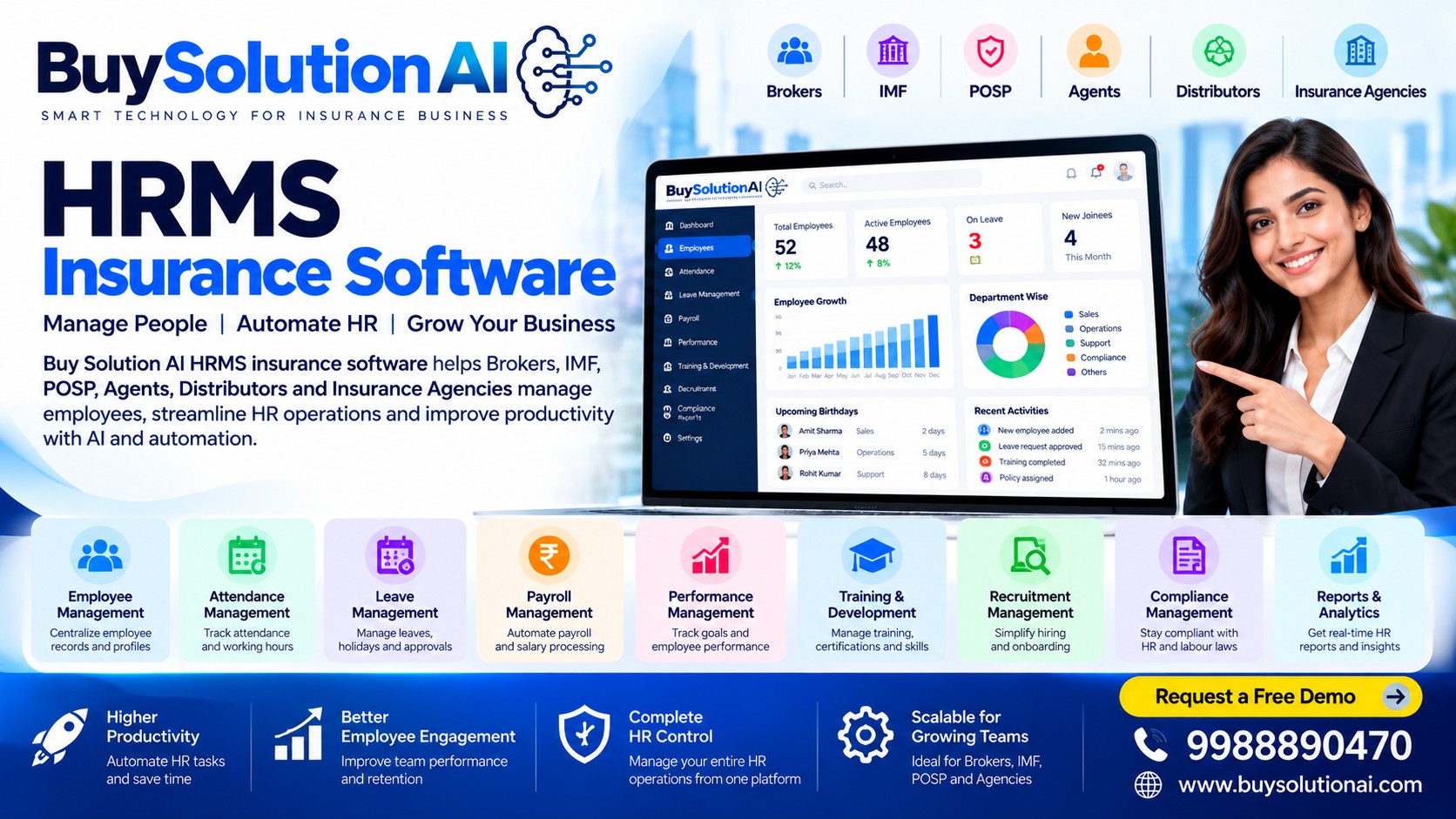
HRMS stands for Human Resource Management System. HRMS insurance software applies HR workflows to insurance organisations, including brokerages, IMFs, corporate agencies, POSP businesses and insurance technology providers. Depending on the product, it can maintain employee profiles, store employment documents, track attendance and leave, coordinate onboarding, assign responsibilities, record training, support performance reviews and produce management reports.
It is important to distinguish HRMS from insurance policy administration or broking software. An HRMS focuses on employees and internal people processes. Insurance broking software typically supports customer records, quotations, policies, renewals, claims coordination and sales workflows. These systems may complement each other, but they solve different operational problems.
Why Insurance Businesses Need a Dedicated HRMS
Insurance businesses may have employees and sales representatives working across branches, offices and remote locations. Managers need a reliable way to understand who is available, which tasks are assigned, whether training is complete and where approvals are pending. Manual tracking can create duplicated records, inconsistent reporting and avoidable administrative work.
A central HRMS can standardise recurring processes and create a clearer record of employee-related activities. For growing brokers, IMFs and POSP networks, this structure can be useful when new staff or distributors are added regularly. The benefits depend on the features enabled, data quality and whether the team consistently follows the workflows.
Key Features to Look For
1. Centralised employee records: Keep employee profiles, job roles, joining dates, contact details and relevant documents organised in a controlled system. Access should be limited according to each user’s role.
2. Attendance and leave management: Record attendance, leave requests, approvals and leave balances in one place. If mobile or location-based attendance is used, communicate the policy clearly and follow applicable privacy and employment requirements.
3. Onboarding and offboarding workflows: Use checklists for joining formalities, document collection, policy acknowledgements, access requests and exit procedures. Assign owners and due dates so steps are less likely to be missed.
4. Payroll coordination: Maintain approved inputs required for payroll, such as attendance summaries, leave records and authorised changes. Payroll calculations and statutory compliance should be reviewed by qualified personnel or a suitable payroll provider.
5. Performance and goal tracking: Set role-specific goals for sales, servicing, operations or support teams. Use clear definitions and balanced measures rather than relying only on sales volume.
6. Training and compliance records: Track induction, product training, process updates and completion status. Where insurance-related training or authorisations apply, keep records accurate and verify requirements with the relevant insurer or regulator.
7. Task and approval management: Route leave, expense, document and other internal requests to the right manager. Automated reminders can help teams follow up on pending approvals.
8. Reports and dashboards: Review headcount, attendance patterns, onboarding progress, training completion and task status. Reports should use consistent definitions and be available only to authorised users.
How HRMS Can Support Brokers, IMFs and POSP Networks
For insurance brokers, HRMS can help coordinate staff across sales, operations, renewals and customer service. Managers can maintain role assignments, training records and performance goals while keeping employee documentation organised.
For IMFs, a growing workforce may include office employees, sales coordinators and other permitted business-support roles. A consistent HR process can make onboarding, leave approvals and internal task ownership easier to manage. HRMS should not be treated as a substitute for meeting applicable IRDAI requirements or maintaining records required under the organisation’s regulatory obligations.
For POSP-led businesses, workforce and distributor management needs can vary by operating model. Confirm whether the selected platform supports employee HR only, distributor onboarding, or both. These are not always the same function, so check the scope before purchasing.
Benefits of Moving Away from Spreadsheets
Spreadsheets can be useful for a small team, but they become harder to maintain as an organisation grows. Multiple versions may circulate, access may not be properly controlled and reminders can depend on an individual remembering to send them. HRMS software can provide a shared process, standard fields, approval history and timely notifications.
Potential benefits include less repetitive data entry, improved document organisation, more consistent onboarding, clearer responsibility for approvals and faster access to workforce reports. These are outcomes to measure rather than guarantees. Compare the time spent on HR administration before and after implementation to see whether the system is delivering value.
How to Choose the Right HRMS Insurance Software
Start by listing the HR processes that cause the most friction today. Ask vendors to demonstrate employee records, attendance, leave approvals, onboarding, reports and role-based access using realistic examples. Check whether the product is cloud-based, works well on mobile devices and allows data export if you change providers.
Security and privacy deserve particular attention because HR records may contain personal and employment information. Ask about user permissions, audit logs, backups, data retention, encryption, incident response and vendor access. Review the contract and applicable Indian data-protection and employment obligations with appropriate advisers.
Also check implementation effort, support availability, training, pricing, integration options and scalability. Avoid buying features your team will not use. A practical pilot with a small group can reveal usability issues before organisation-wide rollout.
Implementation Best Practices
Step 1: Map the current process. Document how employee information, leave, attendance, onboarding and approvals are handled today.
Step 2: Clean the data. Remove duplicate records, standardise names and roles, and confirm documents are accurate before importing them.
Step 3: Define access. Decide which information HR staff, managers, employees and administrators can view or change. Apply least-privilege access.
Step 4: Configure workflows. Set approval paths, notification rules, leave policies and reporting definitions to match approved company policy.
Step 5: Train the team. Provide short, role-specific instructions and explain where employees can request help.
Step 6: Measure adoption. Track completion of onboarding tasks, time to approve leave, missing employee records and user feedback. Review results regularly and adjust the process.
Common Mistakes to Avoid
Do not digitise an unclear process without deciding who owns each step. Avoid collecting unnecessary personal information, granting broad access to sensitive records or assuming that software automatically ensures legal compliance. Do not migrate old employee data without checking its accuracy, and do not rely on a dashboard unless the underlying data is kept up to date. Finally, confirm whether a vendor’s “insurance management” features refer to employee HR, distributor administration or policy servicing; the label alone does not establish functionality.
How BuySolutionAI Fits into an Insurance Technology Strategy
BuySolutionAI focuses on technology solutions for insurance businesses. When evaluating HRMS insurance software alongside insurance broking or business automation tools, map each system to a clear purpose: HRMS for employee processes, broking software for insurance distribution workflows, and policy administration tools for policy-related records and servicing. Where integration is available, confirm which fields are shared, who owns the data and how access is controlled. For current features, pricing and implementation options, contact BuySolutionAI directly rather than assuming a capability is included in every package.
Frequently Asked Questions
What is HRMS insurance software? It is a human-resource management system used by insurance businesses to organise employee records, attendance, leave, onboarding, training and related HR workflows.
Is HRMS the same as insurance broking software? No. HRMS manages workforce processes, while insurance broking software supports insurance distribution and servicing activities. Some businesses use both.
Can small insurance agencies use an HRMS? Yes. A small agency can start with core employee records, leave and onboarding, then expand as its needs grow.
Does HRMS automatically ensure compliance? No. Software can support recordkeeping and consistent workflows, but the organisation remains responsible for verifying and meeting applicable legal, employment and regulatory requirements.
What should be checked before buying? Review features, ease of use, mobile access, security, permissions, data export, implementation support, integrations and total cost.
Can HRMS help remote teams? Depending on the product, it can centralise records and requests for teams working across locations. Attendance and monitoring features should be implemented transparently and lawfully.